How to Automate AWS Startup and Shutdown: Setup Procedures, Selection Guide, and Points to Note
- aws
- Amazon EC2
- Operation automation


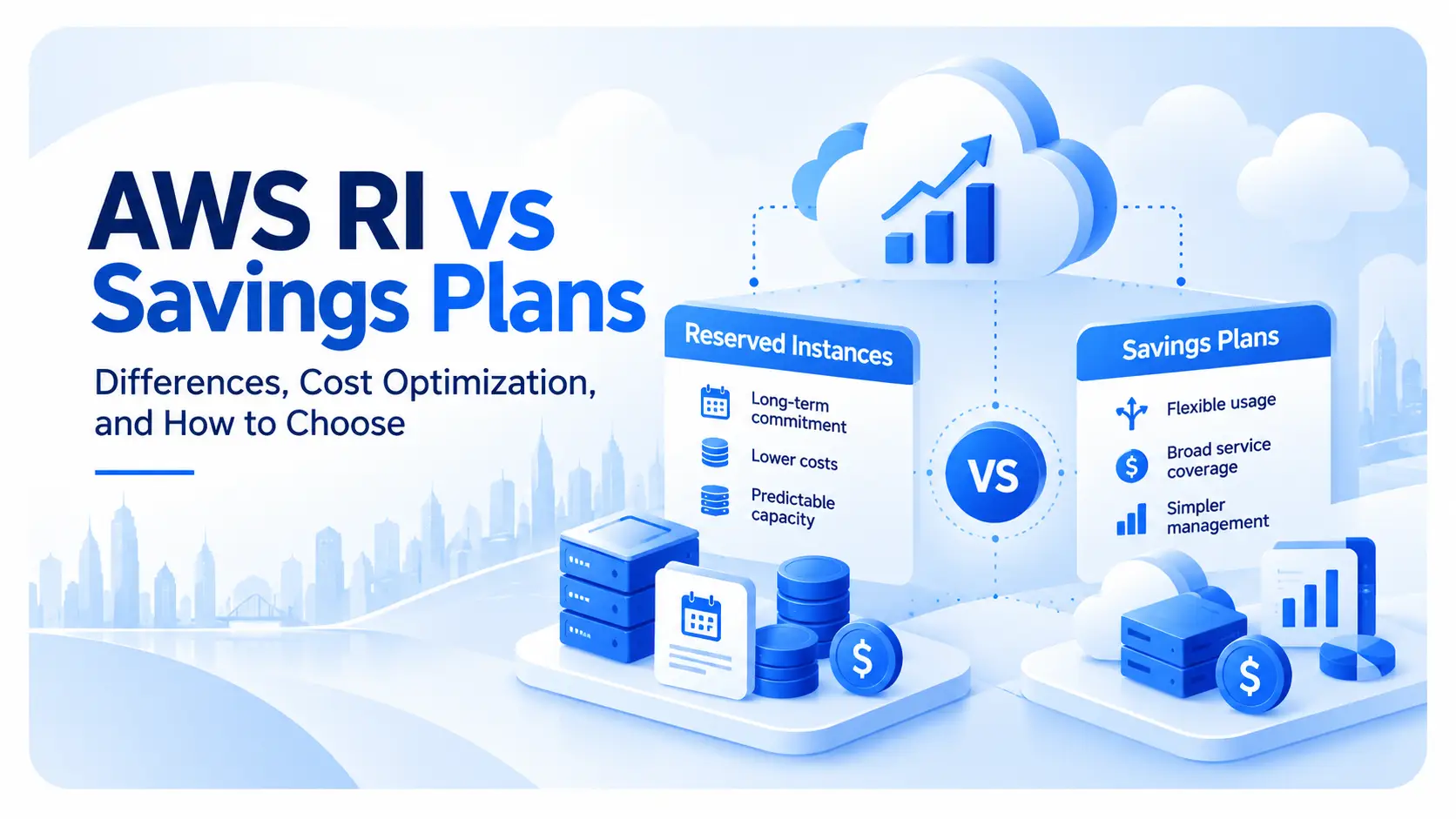
Amazon Web Services (AWS) offers two ways to reduce Amazon EC2 usage costs: Reserved Instances (RIs) and Savings Plans (SPs). Both offer discounts based on usage for a set period, but they differ in terms of eligibility requirements, flexibility, and the services they cover.
Choosing solely based on the discount rate may result in not being able to fully utilize the discount due to changes in instance type or region migration. Future configuration changes, in addition to current usage, should also be considered when making your selection.
This article compares the differences between RI and SP, explaining their respective features, how to choose between them, and points to check before purchasing.
RIs (Regular Instances) are purchased by specifying the instance configuration and conditions, while SPs (Service Providers) are purchased by committing a per-hour usage fee. The comparison is between Amazon EC2 Standard RIs/Convertible RIs and Compute Savings Plans/EC2 Instance Savings Plans.
AWS currently recommends Savings Plans over Reserved Locations (RIs) due to their greater flexibility.
The main differences are as follows:
Comparison item | RI | SP |
Target to commit | Specific instance configuration | Hourly rate |
Discount rate | Standard RIs have a maximum yield of 72%, while Convertible RIs have a maximum yield of 66%. | EC2 Instance Savings Plans offer up to 72% savings, and Compute Savings Plans offer up to 66% savings. |
Contract period | 1 or 3 | 1 or 3 |
Payment Method | Full prepayment, partial prepayment, no prepayment required. | Full prepayment, partial prepayment, no prepayment required. |
Flexibility to configuration changes | There are limitations depending on the type of RI and the modifications made. | More flexible than RI |
Target | Amazon EC2 | Depending on the type of SP, it could be Amazon EC2, AWS Fargate, AWS Lambda, etc. |
Capacity Reservation | Possible with zone RI | None. However, it can be used in conjunction with On-Demand Capacity Reservation. |
With SPs, discounts can be applied even if the instance family or region changes, depending on the plan. On the other hand, the scope of discounts for RIs is determined by the specified conditions.
The maximum discount rates are 72% for Standard RIs and EC2 Instance Savings Plans, and 66% for Convertible RIs and Compute Savings Plans.
The difference lies not only in the discount rate but also in the flexibility to change configurations. With Compute Savings Plans, discounts are automatically applied even if the instance family, size, OS, tenancy, or region changes. This also applies when migrating from Amazon EC2 to AWS Fargate or AWS Lambda.
The contract period is either one or three years, and the longer the contract period, the higher the discount may be. Payment methods are also the same across all contracts, with three options to choose from.
Full payment in advance: The entire contract period is paid at the start of the contract.
Partial prepayment: A portion is paid in advance, and the remaining balance is paid during the contract period.
No upfront payment required: No initial upfront payment is required; fees are paid throughout the contract period.
With RI, generally, the larger the upfront payment, the higher the discount rate. SP also varies in price depending on the contract period and payment method.
Both plans are based on a 1-year or 3-year commitment, so they are not suitable for short-term use. While SPs generally cannot be canceled mid-term, returns are possible within 7 days of purchase and within the same calendar month, provided certain conditions are met, such as a commitment amount of 100 USD or less per hour. Determine your commitment amount based on your expected continued use.
Related article:A complete overview of EC2 pricing | Estimation methods and cost optimization criteria
Amazon EC2 Reserved Instances (RIs) include Standard RIs and Convertible RIs. When comparing Amazon EC2 RIs with other Savings Plans, the Compute Savings Plans and EC2 Instance Savings Plans are the most important.
Standard RIs offer discounts of up to 72% compared to on-demand pricing. They are a good choice for RIs that you plan to maintain for extended periods.
While some attributes can be changed after purchase, you cannot exchange it for a Reserved Instance (RI) specifying a different instance family. If the conditions are met, you can sell it on the Reserved Instance Marketplace.
Zone RIs have the effect of reserving capacity in a specified Availability Zone. Region RIs do not have this effect.
Convertible Reserved Instances (RIs) can be exchanged for another Convertible RI during the contract period. They allow changes to the instance family, instance type, OS, tenancy, etc., making them more accommodating to configuration changes than Standard RIs. Discounts are up to 66% compared to on-demand pricing.
Exchanges require specific procedures and cannot be performed across regions. In principle, the exchanged RI must be of equal or greater value than the original RI.
Additionally, if you purchase a Convertible RI with a zone scope, you can reserve capacity in a specified availability zone.
If you only need flexibility in configuration changes, Compute Savings Plans are a strong option. On the other hand, if you want to continue your existing RI operation or also want to secure capacity within the zone scope, Convertible RIs are a better choice.
Compute Savings Plans are the most flexible type of Savings Plan. You can receive discounts of up to 66% compared to on-demand rates.
With Amazon EC2, discounts are automatically applied regardless of the instance family, size, OS, tenancy, or region. AWS Fargate and AWS Lambda are also included.
This option is suitable if you plan to change your instance configuration or anticipate migrating to a computing service other than Amazon EC2.
EC2 Instance Savings Plans are a type of plan where you commit to a fixed hourly rate for a specific instance family within a designated region. You can receive discounts of up to 72% compared to on-demand rates.
The scope of application is narrower than Compute Savings Plans, and the discount will not apply if you change the region or instance family. Within the same instance family, the discount will be automatically applied even if the instance size, OS, and tenancy change.
If you can fix the region and instance family, you can aim for a higher discount rate than Compute Savings Plans.
AWS recommends Savings Plans over Reserved Instances (RIs) as a cost-saving measure for Amazon EC2. This is because they offer discounts comparable to RIs while also being more flexible in accommodating configuration changes.
The options depend on how much of the current configuration you want to maintain, whether you might migrate to a service other than Amazon EC2, and whether you need to secure capacity.
If your preferred region and instance family remain unchanged, EC2 Instance Savings Plans or Standard Reserved Instances (RIs) are good options.
EC2 Instance Savings Plans offer discounts of up to 72% in exchange for committing to a specific instance family in a specific region. The discount is automatically applied even if the instance size, OS, or tenancy changes within the same family.
Standard RIs are also eligible for discounts of up to 72%. If you are confident that you can maintain the conditions you specified at the time of purchase throughout the contract period, prioritizing the discount rate over flexibility may be a reasonable choice.
If you anticipate needing to change instance families or regions, Compute Savings Plans are a good option.
Amazon EC2 automatically applies discounts even when you change instance family, size, OS, tenancy, or region. This makes it easy to adapt when reviewing your EC2 configuration due to system upgrades or changes in performance requirements.
EC2 Instance Savings Plans are fixed to a specific region and instance family, and therefore cannot accommodate changes beyond that scope.
If you also plan to use AWS Fargate or AWS Lambda, Compute Savings Plans are a strong option.
Compute Savings Plans apply to AWS Fargate and AWS Lambda in addition to Amazon EC2. For example, even if you migrate a process that was running on Amazon EC2 to AWS Fargate, the discount will continue to apply to eligible usage.
This also makes it easier to ensure flexibility if you plan to move towards containerization or serverless architecture in the future.
Discounts on fees and securing capacity can be considered separately.
Savings Plans does not have a feature to reserve capacity, but when combined with On-Demand Capacity Reservation, you can design both discounts and capacity allocation separately.
With Reserved Accommodations (RIs), selecting a zone RI reserves capacity in a specified availability zone. This effect does not apply to region RIs.
If you need more capacity, you should compare and choose not only zone RIs, but also combinations of Savings Plans and On-Demand Capacity Reservations.
RI and SP can be used together. Another method is to divide the usage amount according to its properties and apply it to different targets.
For example, EC2 Instance Savings Plans are applied to recurring usage, while Compute Savings Plans cover usage that may change between instance families or regions. Temporary increases are handled with on-demand instances or, depending on the circumstances, spot instances.
In pricing calculations, Amazon EC2 Reserved Instances (RIs) are applied first, followed by Savings Plans for any remaining eligible usage. Within Savings Plans, EC2 Instance Savings Plans are applied before Compute Savings Plans.
If there are existing RIs or SPs, we will review their application status before deciding on any additional commitments.
If you manage multiple AWS accounts using AWS Organizations or similar tools, check not only where you purchase RIs and SPs, but also the scope of discount sharing.
Discount sharing is enabled by default. Savings Plans are first applied to the eligible usage in the account that purchased them, and if there are any unused commitments, they are automatically applied to other accounts that are sharing them with the plan to maximize the savings.
AWS allows you to share across your entire organization, prioritize specific groups, and limit sharing to within those groups. If you have separate AWS accounts for each department or system, review your sharing settings in conjunction with your cost allocation policy.
Related article:AWS Organizations: A comprehensive guide to multi-account management, consolidated billing, and governance
Purchasing RIs/SPs without reviewing usage and resource configurations will result in committing to unnecessary usage for extended periods.
Before purchasing, review your current usage and any planned changes to determine the scope of your continued use.
While RI/SP are suitable for continuously running systems and other applications with ongoing usage, they are not suitable for processes that only increase during peak seasons or for temporary development environments.
AWS Cost Explorer allows you to review your Savings Plans' recommended commitments based on past usage. Since these recommendations do not predict future usage, be sure to also consider potential increases or decreases.
reference:AWS “Understanding Savings Plans recommendations”
Before purchasing RIs/SPs, consider deleting unnecessary resources and right-sizing instances.
Committing EC2 instances with low utilization rates at their current size could potentially lock in usage costs that could have been reduced. First, optimize usage, and then make the remaining continued usage eligible for Reserved Instances (RIs) and Service Providers (SPs).
The AWS Cost Optimization Hub allows you to view a variety of cost optimization suggestions, including deleting idle resources, light sizing, Savings Plans, and Reserved Item (RI) strategies, all in one place.
reference:AWS “Cost Optimization Hub”
Related article:A comprehensive overview of AWS costs: A systematic explanation of pricing, estimates, and management
During the contract period, you may need to change instance families or regions, or migrate from Amazon EC2 to AWS Fargate or AWS Lambda.
For example, migrating from an x86-based EC2 instance to an AWS Graviton-equipped instance may change the instance family. With EC2 Instance Savings Plans, discounts are not applied if you move out of the specified instance family, but with Compute Savings Plans, the discount remains applicable even after the change.
If you are planning a system upgrade or migration, you should choose a solution that considers not only the current configuration but also the roadmap for the contract period.
You don't need to cover all your usage with RI/SP. You can commit to recurring usage and use on-demand pricing for variable usage.
AWS Cost Explorer allows you to see recommended commitment amounts, expected utilization rates, and potential savings based on your past usage. Increasing your commitment amount will broaden your eligibility for discounts, but if your usage falls below the limit, you won't be able to fully utilize the discounts.
The commitment amount will be determined based on the extent to which you expect to continue using the service.
reference:AWS “Understanding your recommendation calculations”
Since RI/SP are based on the assumption of use over a certain period, choosing the wrong purchase quantity or plan may result in not achieving the expected reduction. Here are some common mistakes that can occur during the purchase process.
If current usage is used directly for RI/SP targets, it may include temporary increases or resources that will be reduced in the future. If usage decreases, the committed resources may not be fully utilized.
Savings Plans allows you to view costs, coverage, and utilization for each commitment amount using AWS Cost Explorer recommendations and Purchase Analyzer.
Choosing based solely on your current configuration may result in the discounts no longer applying as expected due to changes in instance family or region, or migration from Amazon EC2 to AWS Fargate or AWS Lambda.
Convertible RIs can be exchanged for another Convertible RI during the contract period, but Standard RIs cannot. While it may be possible to sell them on the Reserved Instance Marketplace if certain conditions are met, there are requirements such as seller registration and remaining contract period, and it is not a system that can be easily terminated.
If you have plans for system upgrades or migrations, you should anticipate configuration changes during the contract period before purchasing.
Choosing solely based on the maximum discount rate can lead to situations where the applicable conditions don't match your actual usage, resulting in you not being able to fully utilize the discount.
Factors such as planned changes to instance families or regions, migration to services other than Amazon EC2, and the need to secure capacity are also considered. Prioritizing whether the discount can be fully utilized throughout the contract period is more important than the maximum discount rate.
Usage and configuration can change even after purchase. Savings Plans allow you to see how much of your committed usage is being used based on coverage and utilization rates. AWS Cost Explorer also provides recommendations for additional purchases, taking into account your existing Savings Plans.
If usage rates decline, we will review the commitment amount at the next renewal or additional purchase. If on-demand usage increases, we will confirm whether it is a sustained increase before deciding on an additional purchase.